
Desk of Craig

Amber Account Portal
Users need the ability to change details relating to their membership and payment method in a familiar way.
Login & Verification
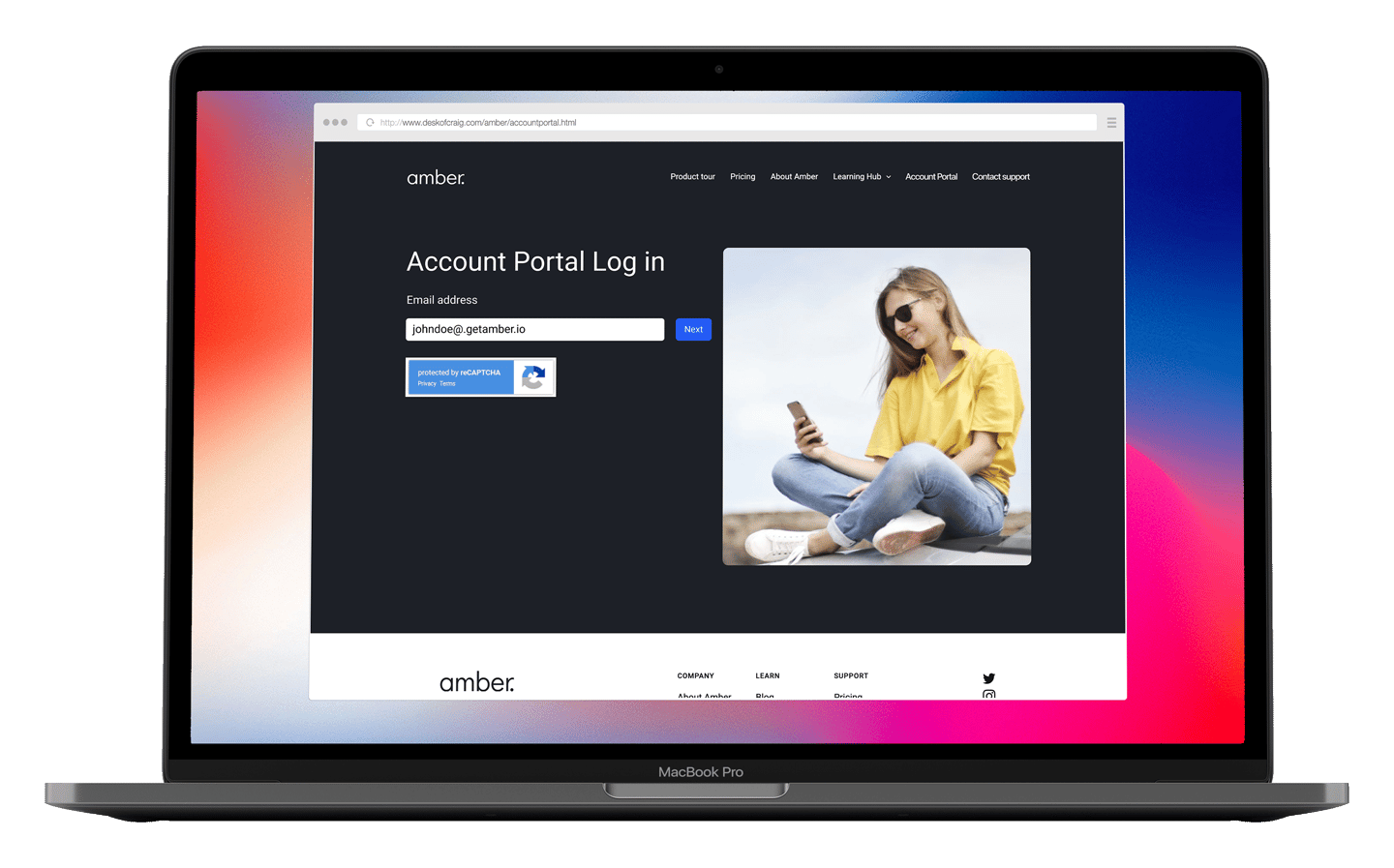
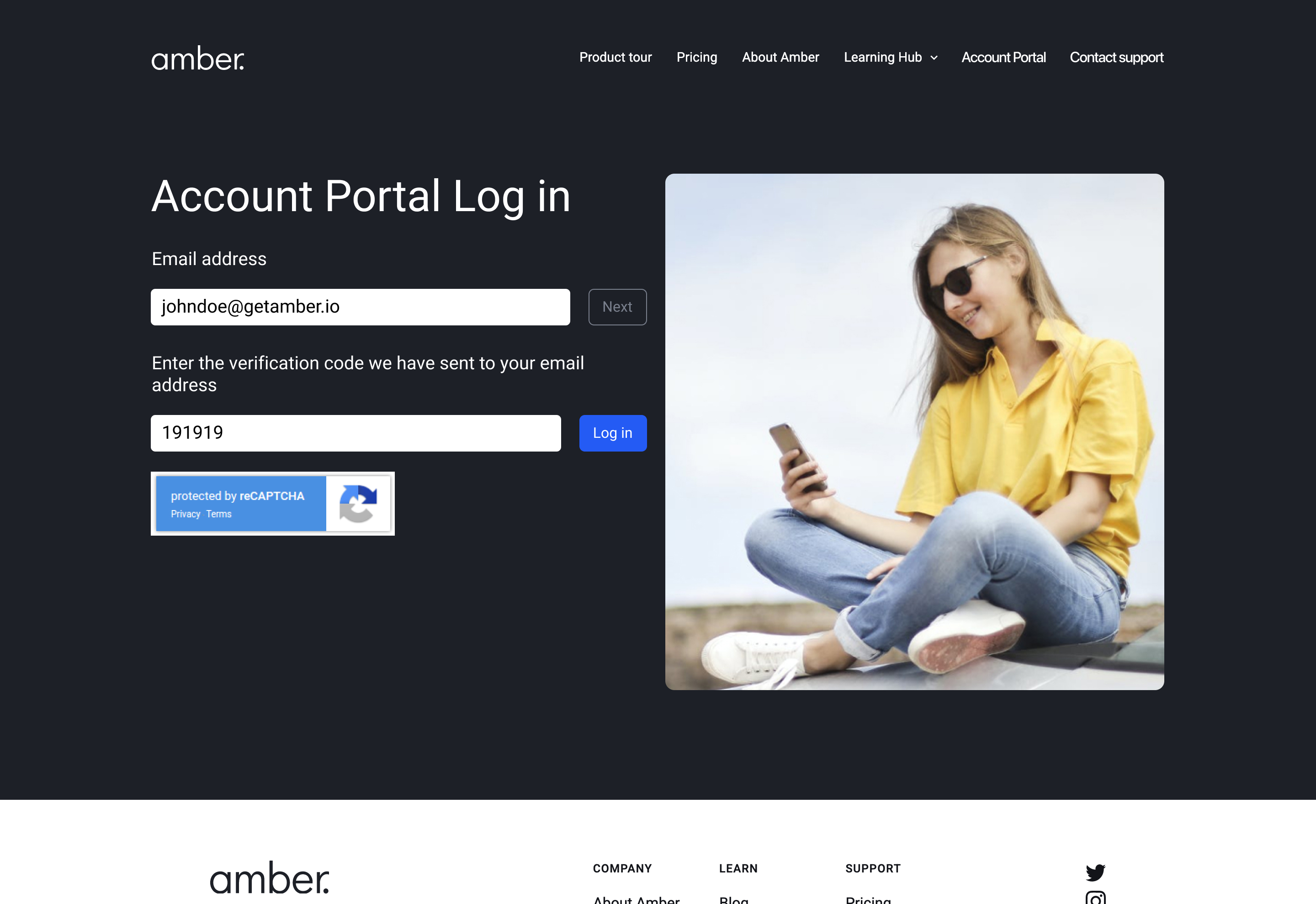
Navigating from the main marketing website of Amber, the user lands at the Account Portal login page. Here the user is asked to enter their email address associated with their Amber profile. Once entered and clicked ‘Next’, verification code is supplied to be entered to help confirmation and clarify their identity.
This solution was proposed to stay away from the user having to use more passcodes and for the database having to store more information on each user.
Account Overview
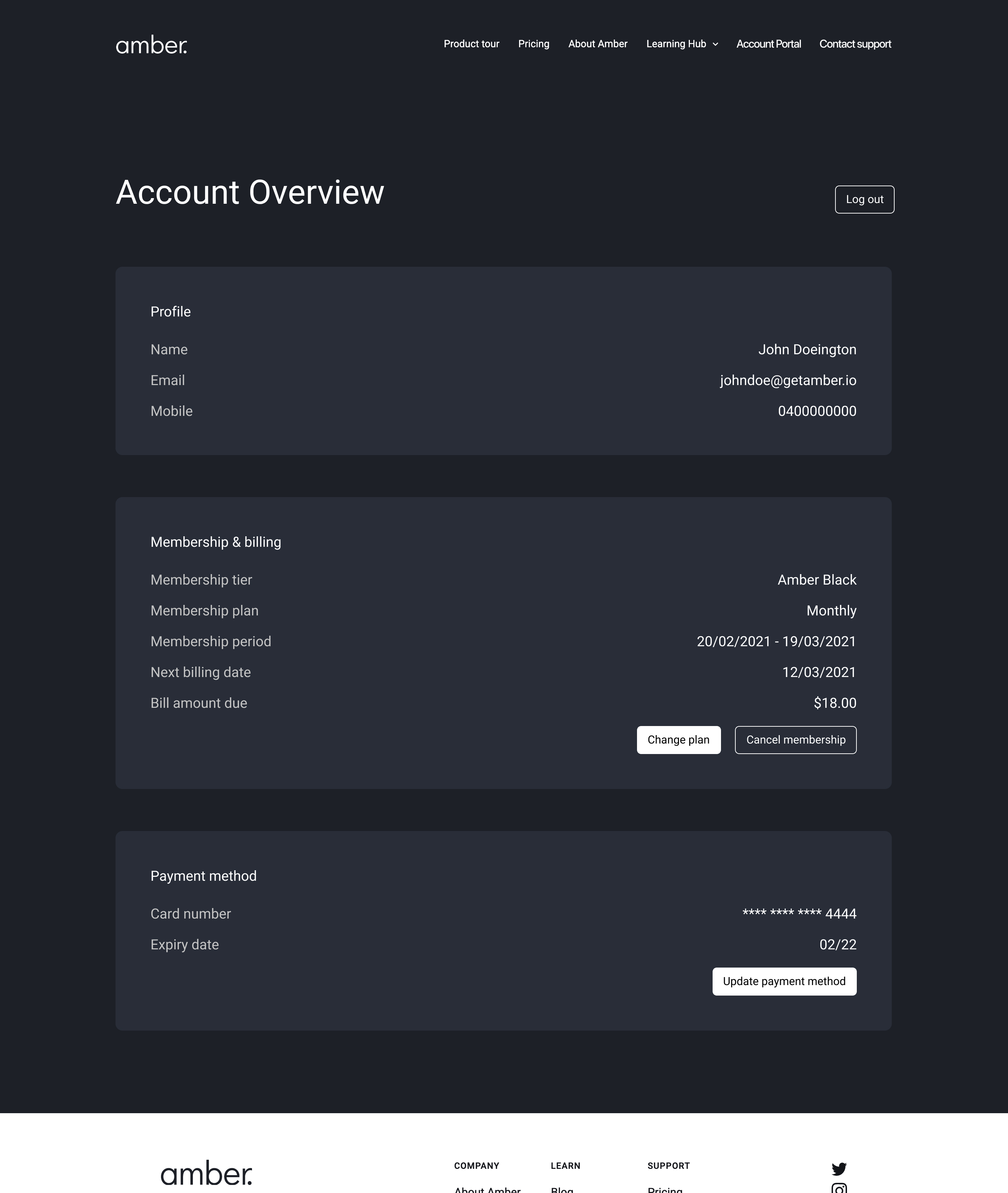
The Account Overview is the page where a user can see all information relating to their account and membership to Amber.
All design rules, styling and components are based on the marketing and membership sign-up websites. This is to create more consistency between the web-based products instead of the mobile-based product.
User Accesible Actions
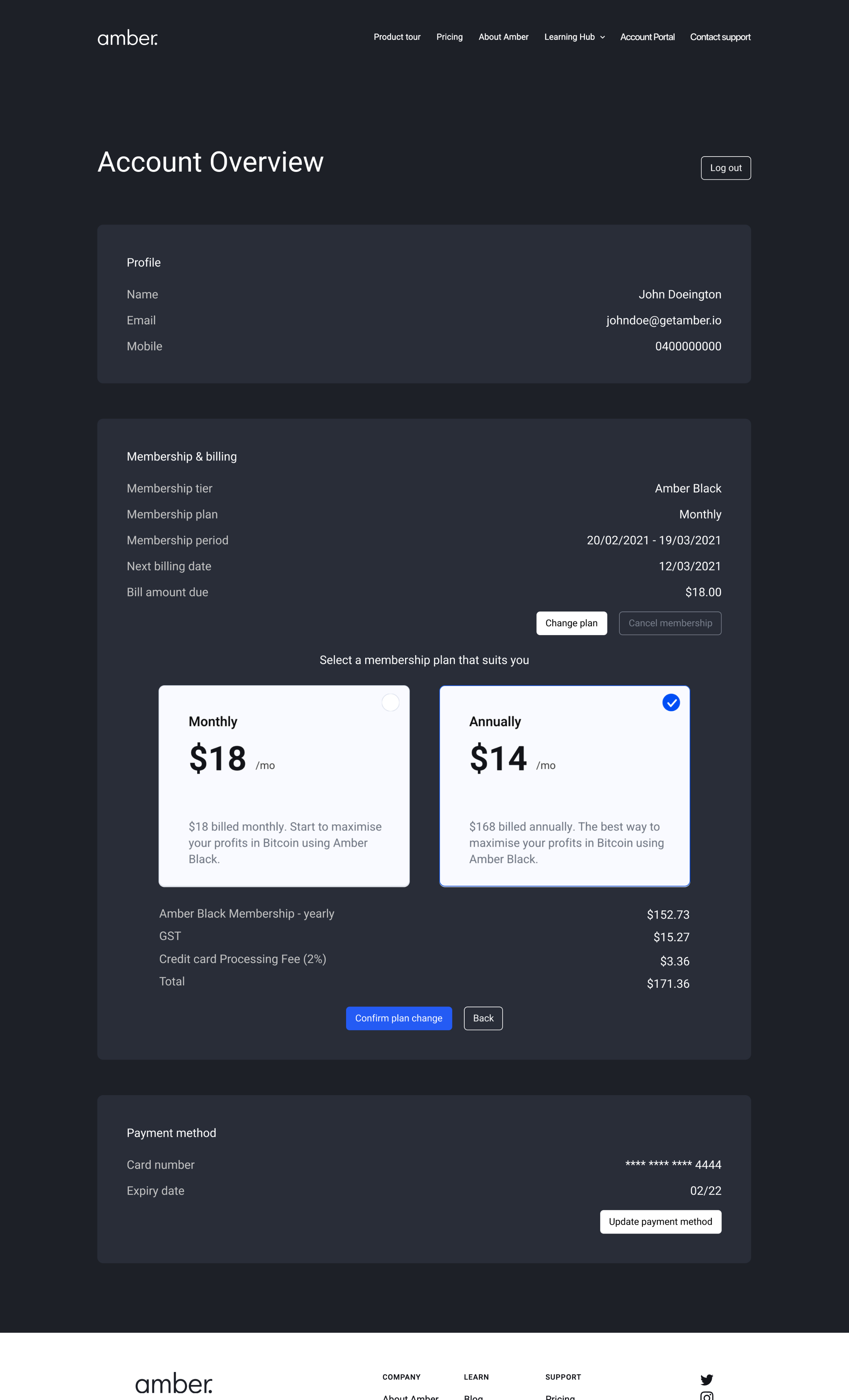
Through the Account Overview page, the user can make alternation to their membership in the forms of Changing their plan, cancelling their plan and updating their payment method. When one of these actions is taken, an accordion component is opened to display further information and details relating to that action.
In this instance, the user is changing their plan from monthly to annual. As the plan choice is selected the amounts change to feedback to the user the breakdown of charges and fees per plan.
Once a selection has been made, the user can click ‘Confirm plan change’ and the accordion closes.
Confirmation Feedback
Confirmation Feedback
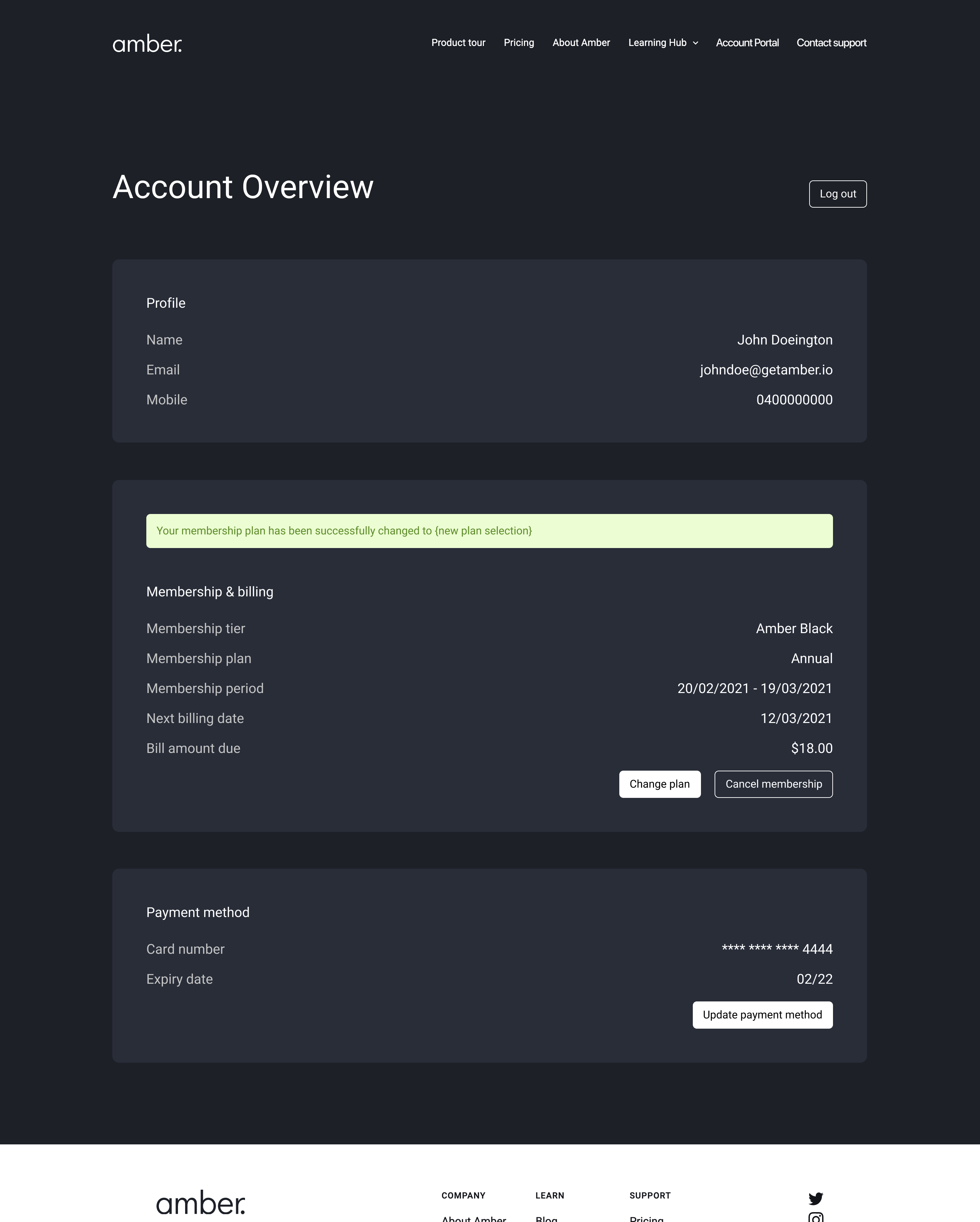
Once the accordion from the previous action has been closed, feedback is given to the user stating the alternation has been made and logged on the Amber system. This is important so the user knows that they have completed the goals they set out to do.

Desk of Craig
Amber Account Portal
Users need the ability to change details relating to their membership and payment method in a familiar way.
Login & Verification
Navigating from the main marketing website of Amber, the user lands at the Account Portal login page. Here the user is asked to enter their email address associated with their Amber profile. Once entered and clicked ‘Next’, verification code is supplied to be entered to help confirmation and clarify their identity.
This solution was proposed to stay away from the user having to use more passcodes and for the database having to store more information on each user.
Account Overview
The Account Overview is the page where a user can see all information relating to their account and membership to Amber.
All design rules, styling and components are based on the marketing and membership sign-up websites. This is to create more consistency between the web-based products instead of the mobile-based product.
User Accesible Actions
Through the Account Overview page, the user can make alternation to their membership in the forms of Changing their plan, cancelling their plan and updating their payment method. When one of these actions is taken, an accordion component is opened to display further information and details relating to that action.
In this instance, the user is changing their plan from monthly to annual. As the plan choice is selected the amounts change to feedback to the user the breakdown of charges and fees per plan.
Once a selection has been made, the user can click ‘Confirm plan change’ and the accordion closes.
Confirmation Feedback
Confirmation Feedback
Once the accordion from the previous action has been closed, feedback is given to the user stating the alternation has been made and logged on the Amber system. This is important so the user knows that they have completed the goals they set out to do.
Desk of Craig
Amber Account Portal
Users need the ability to change details relating to their membership and payment method in a familiar way.
Login & Verification
Navigating from the main marketing website of Amber, the user lands at the Account Portal login page. Here the user is asked to enter their email address associated with their Amber profile. Once entered and clicked ‘Next’, verification code is supplied to be entered to help confirmation and clarify their identity.
This solution was proposed to stay away from the user having to use more passcodes and for the database having to store more information on each user.
Account Overview
The Account Overview is the page where a user can see all information relating to their account and membership to Amber.
All design rules, styling and components are based on the marketing and membership sign-up websites. This is to create more consistency between the web-based products instead of the mobile-based product.
User Accesible Actions
Through the Account Overview page, the user can make alternation to their membership in the forms of Changing their plan, cancelling their plan and updating their payment method. When one of these actions is taken, an accordion component is opened to display further information and details relating to that action.
In this instance, the user is changing their plan from monthly to annual. As the plan choice is selected the amounts change to feedback to the user the breakdown of charges and fees per plan.
Once a selection has been made, the user can click ‘Confirm plan change’ and the accordion closes.
Confirmation Feedback
Confirmation Feedback
Once the accordion from the previous action has been closed, feedback is given to the user stating the alternation has been made and logged on the Amber system. This is important so the user knows that they have completed the goals they set out to do.